
Complete team expense approval dashboard
TeamOps opens as a complete team expense approval dashboard with spend summaries, categories, approval statuses, policy flags, and reimbursement actions already in place.
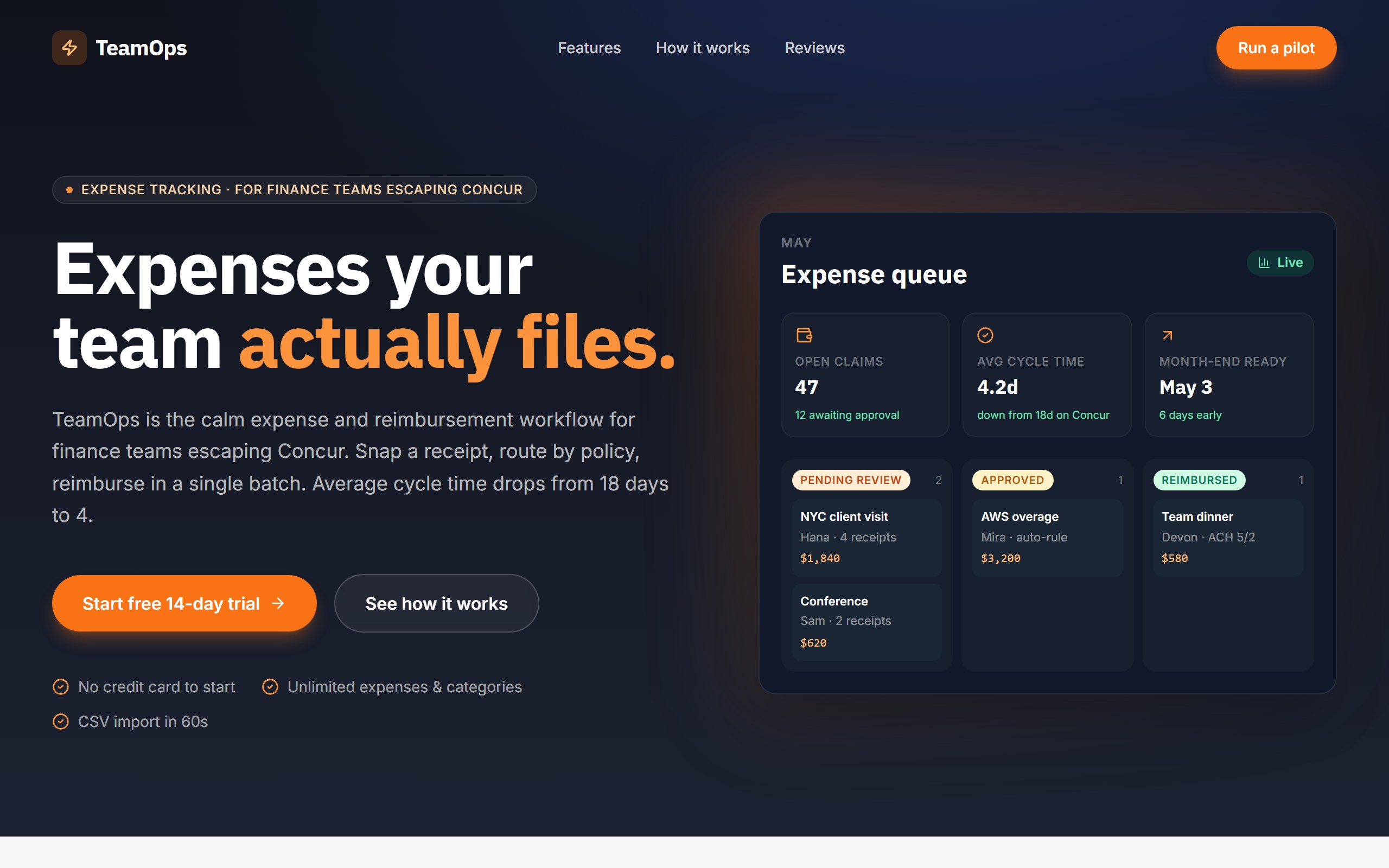
TeamOps opens as a complete team expense approval dashboard with spend summaries, categories, approval statuses, policy flags, and reimbursement actions already in place.
The example is organized to make submitted expenses and finance review work clear for teams, so first changes can improve the real user journey instead of rebuilding from nothing.
Use DriftLess to change expense policy, categories, approval flow, team roles, and export actions while preserving the polished starting point and live preview behavior.
TeamOps is a curated DriftLess example for a team expense approval dashboard. Expense-tracking landing for finance teams. Dark navy + warm orange accent, IBM Plex display, hero with mock expense queue (KPIs + 3-column status grid).
When you click Use template, DriftLess creates a new project from this example and opens the unchanged preview first. Your next request can change expense policy, categories, approval flow, team roles, and export actions without starting over.
Starting idea
Expense-tracking landing — dark navy + orange + IBM Plex Sans. Hero with mock expense queue: KPIs (open claims / cycle time / month-end) plus 3-column status pipeline (pending / approved / reimbursed). Out of scope: real OCR, real ACH, real card sync. Mock illustrative only.
Retheme statuses, categories, and manager steps for employee reimbursements.
Change the workflow around card transactions, policy flags, and manager review.
Adapt summaries to budgets, departments, vendors, and spend variance.
Start from TeamOps and inspect the unchanged live preview.
Review the main team expense approval dashboard sections: spend summaries, categories, approval statuses, policy flags, and reimbursement actions.
Ask DriftLess for a focused first change around expense policy, categories, approval flow, team roles, and export actions.
Use the suggested first-change chips when you want a fast starting point.
Run a final polish pass for mobile spacing, visible hierarchy, and the primary conversion or workflow action.
Use template creates a new project from this example.
The preview opens first, so you can inspect the starting point before spending credits on changes.
Tell DriftLess what to change in plain English: products, colors, sections, wording, pages, or workflow.
Progress, preview updates, files, and recovery actions stay visible while the draft improves.
Suggested first changes
Brain planned architecture
Writer generated dashboard (2 builds)
Reviewer approved quality