
Complete presentation builder interface
Slidewright opens as a complete presentation builder interface with deck sections, slide organization, content state, generation actions, and export CTAs already in place.
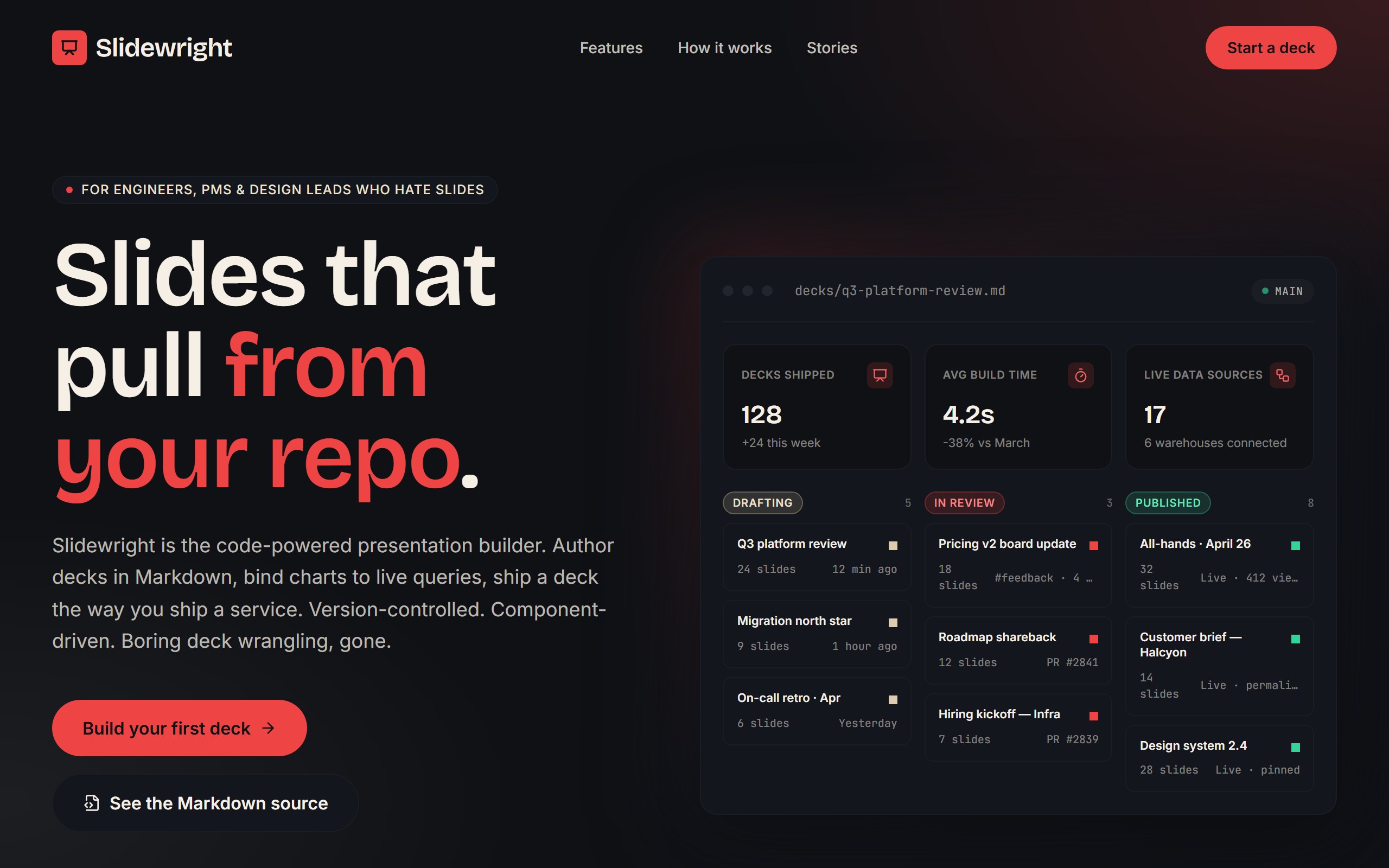
Slidewright opens as a complete presentation builder interface with deck sections, slide organization, content state, generation actions, and export CTAs already in place.
The example is organized to make deck creation feel like a structured workspace instead of a blank page, so first changes can improve the real user journey instead of rebuilding from nothing.
Use DriftLess to change deck type, slide categories, generation workflow, review states, and export model while preserving the polished starting point and live preview behavior.
Slidewright is a curated DriftLess example for a presentation builder interface. Code-powered presentation builder landing for engineers. Dark slate + crimson + parchment, Bricolage Grotesque display, hero with mock deck-editor (KPIs + 3-column slide pipeline).
When you click Use template, DriftLess creates a new project from this example and opens the unchanged preview first. Your next request can change deck type, slide categories, generation workflow, review states, and export model without starting over.
Starting idea
Developer-focused presentation builder landing — dark slate + crimson + Bricolage Grotesque. Hero with mock deck-editor pane: KPIs (decks shipped / avg build time / live data sources) plus 3-column slide-status pipeline (drafting / in review / published). Markdown-first, deck-as-component framing. Out of scope: real Git integration, real live-data binding, real export pipelines. Mock illustrative only.
Retheme sections around problem, solution, market, traction, and investor storytelling.
Adapt the workflow for account decks, proof slides, case studies, and approvals.
Change deck structure into modules, exercises, instructor notes, and export steps.
Start from Slidewright and inspect the unchanged live preview.
Review the main presentation builder interface sections: deck sections, slide organization, content state, generation actions, and export CTAs.
Ask DriftLess for a focused first change around deck type, slide categories, generation workflow, review states, and export model.
Use the suggested first-change chips when you want a fast starting point.
Run a final polish pass for mobile spacing, visible hierarchy, and the primary conversion or workflow action.
Use template creates a new project from this example.
The preview opens first, so you can inspect the starting point before spending credits on changes.
Tell DriftLess what to change in plain English: products, colors, sections, wording, pages, or workflow.
Progress, preview updates, files, and recovery actions stay visible while the draft improves.
Suggested first changes
Brain planned dark engineer-focused landing
Writer generated deck-editor mock + 7 components
Reviewer validated copy and tone