
Complete personal budget dashboard
PennyWise Budget opens as a complete personal budget dashboard with spending categories, balance summaries, savings goals, alerts, and next financial actions already in place.
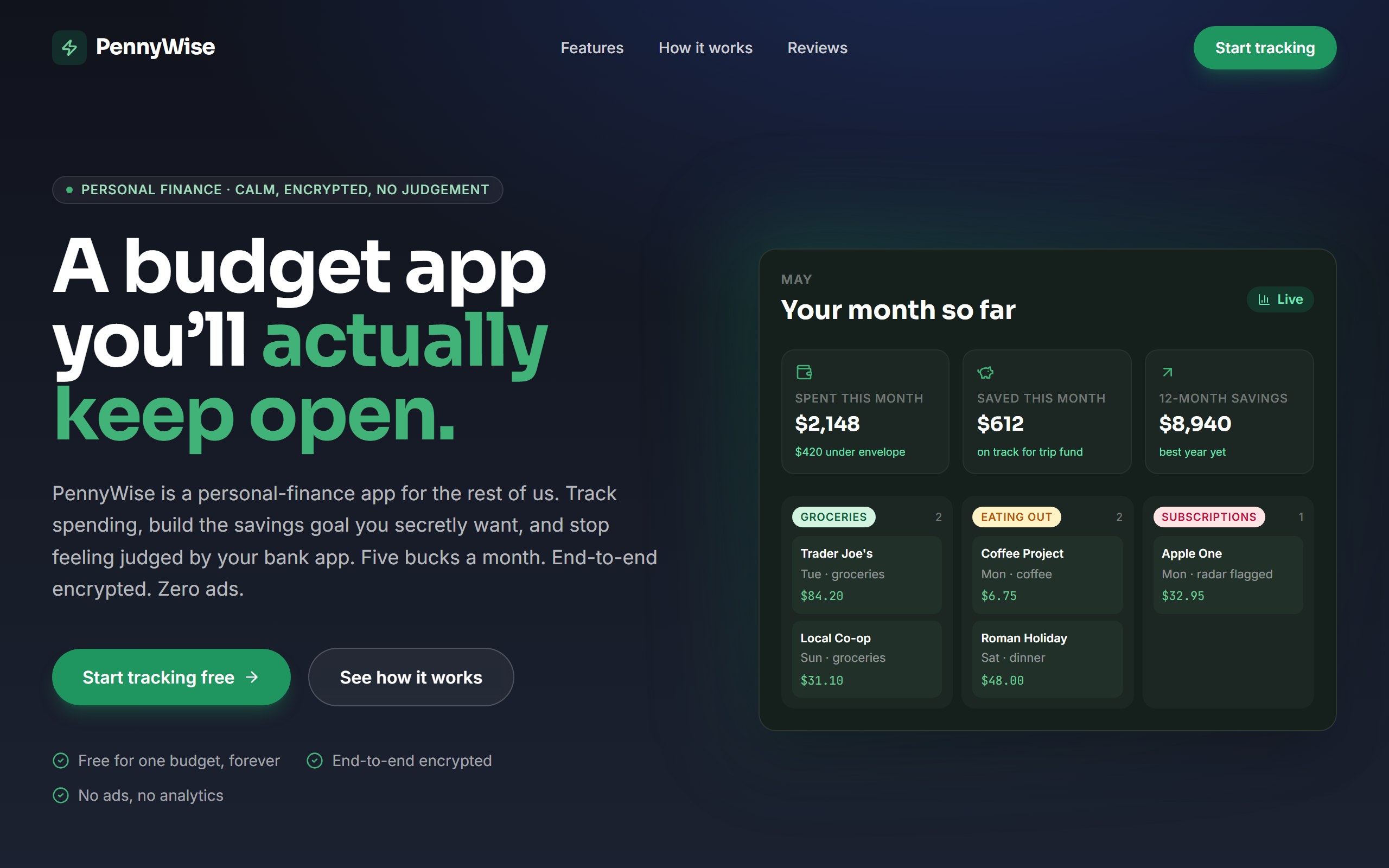
PennyWise Budget opens as a complete personal budget dashboard with spending categories, balance summaries, savings goals, alerts, and next financial actions already in place.
The example is organized to make household or personal money decisions easy to scan and act on, so first changes can improve the real user journey instead of rebuilding from nothing.
Use DriftLess to change budget categories, financial tone, savings model, user segment, and alert workflows while preserving the polished starting point and live preview behavior.
PennyWise Budget is a curated DriftLess example for a personal budget dashboard. Personal-finance app landing. Dark forest-green palette, Sora display, hero with mock budget dashboard (KPIs + recent-transactions grouped by category).
When you click Use template, DriftLess creates a new project from this example and opens the unchanged preview first. Your next request can change budget categories, financial tone, savings model, user segment, and alert workflows without starting over.
Starting idea
Generated from the PennyWise Budget template — a calm personal-finance app marketing landing.
Rename categories, goals, and guidance for families, couples, or shared living costs.
Adapt the dashboard around income timing, tax reserves, monthly runway, and invoices.
Convert categories and alerts into a flow for reviewing recurring spending.
Start from PennyWise Budget and inspect the unchanged live preview.
Review the main personal budget dashboard sections: spending categories, balance summaries, savings goals, alerts, and next financial actions.
Ask DriftLess for a focused first change around budget categories, financial tone, savings model, user segment, and alert workflows.
Use the suggested first-change chips when you want a fast starting point.
Run a final polish pass for mobile spacing, visible hierarchy, and the primary conversion or workflow action.
Use template creates a new project from this example.
The preview opens first, so you can inspect the starting point before spending credits on changes.
Tell DriftLess what to change in plain English: products, colors, sections, wording, pages, or workflow.
Progress, preview updates, files, and recovery actions stay visible while the draft improves.
Suggested first changes
Brain planned architecture
Writer generated finance dashboard (2 builds)
Reviewer approved quality