
Complete resume builder product interface
PaperJet opens as a complete resume builder product interface with candidate profile, experience sections, skill summaries, document preview, and export-oriented CTAs already in place.
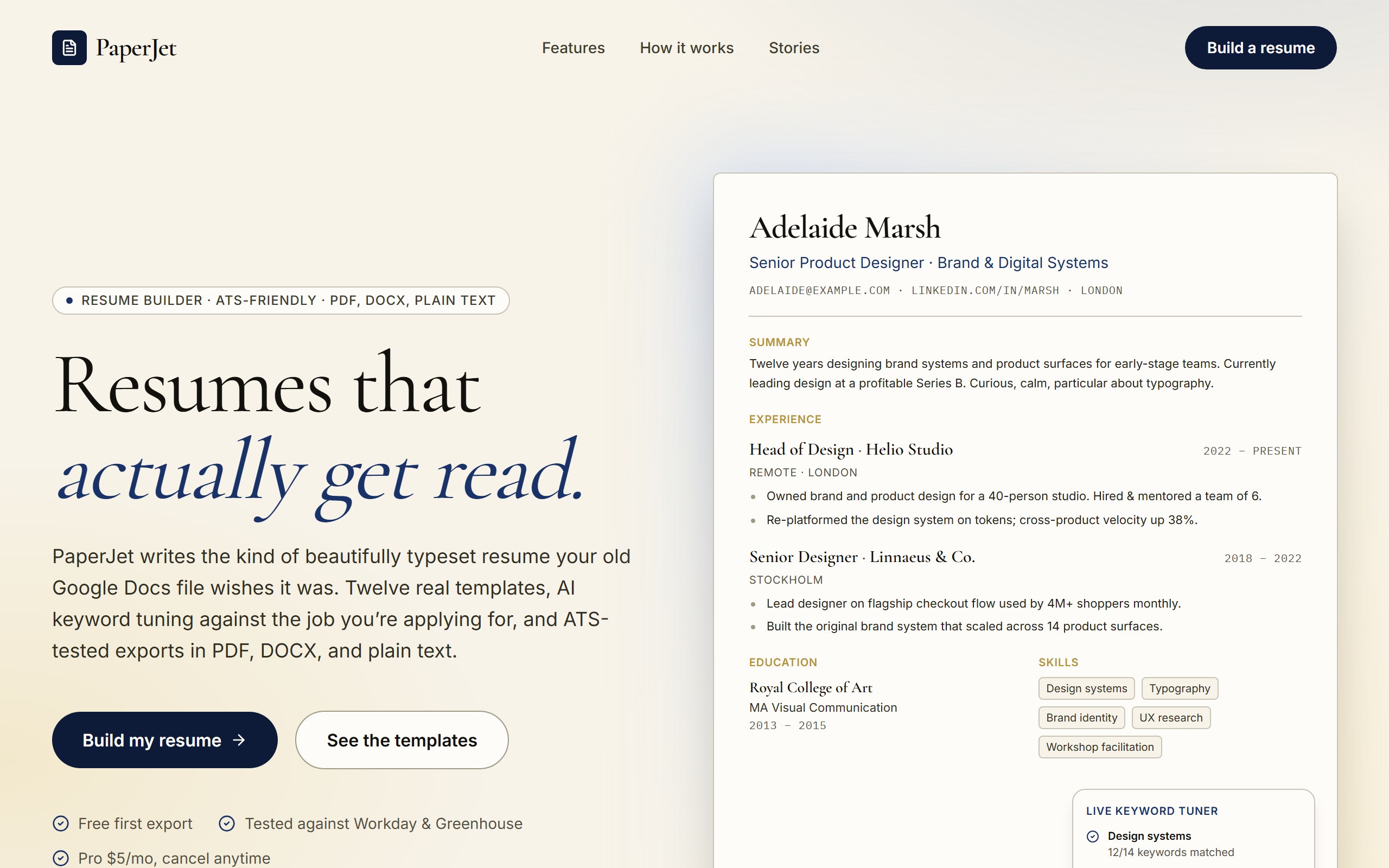
PaperJet opens as a complete resume builder product interface with candidate profile, experience sections, skill summaries, document preview, and export-oriented CTAs already in place.
The example is organized to make career-document creation feel structured, professional, and ready to personalize, so first changes can improve the real user journey instead of rebuilding from nothing.
Use DriftLess to change career segment, resume sections, profile tone, export flow, and coaching CTAs while preserving the polished starting point and live preview behavior.
PaperJet is a curated DriftLess example for a resume builder product interface. Editorial resume-builder landing. Hero with a fully typeset mock resume + live keyword-tuner panel, navy + paper + gold palette, serif display.
When you click Use template, DriftLess creates a new project from this example and opens the unchanged preview first. Your next request can change career segment, resume sections, profile tone, export flow, and coaching CTAs without starting over.
Starting idea
Generated from the PaperJet resume-builder template. This is a polished editorial marketing site for a resume-builder tool. Use the existing structure as the base and apply the user's customizations in place.
Target engineers, nurses, executives, students, or creatives with profession-specific sections.
Reframe the product as a resume audit or guided intake experience for coaching clients.
Adapt the sections into recruiter-facing summaries, talent profiles, or interview packets.
Start from PaperJet and inspect the unchanged live preview.
Review the main resume builder product interface sections: candidate profile, experience sections, skill summaries, document preview, and export-oriented CTAs.
Ask DriftLess for a focused first change around career segment, resume sections, profile tone, export flow, and coaching CTAs.
Use the suggested first-change chips when you want a fast starting point.
Run a final polish pass for mobile spacing, visible hierarchy, and the primary conversion or workflow action.
Use template creates a new project from this example.
The preview opens first, so you can inspect the starting point before spending credits on changes.
Tell DriftLess what to change in plain English: products, colors, sections, wording, pages, or workflow.
Progress, preview updates, files, and recovery actions stay visible while the draft improves.
Suggested first changes
Sidebar with Contacts / Resume Builder / Settings nav
Resume Builder shows Choose a Template surface with Clean / Modern / Compact options
Honest "Coming in next sprint" badges on template cards make the scope explicit