
Complete creative moodboard workspace
Looseleaf Moodboard opens as a complete creative moodboard workspace with reference cards, palettes, notes, visual direction, and grouped creative decisions already in place.
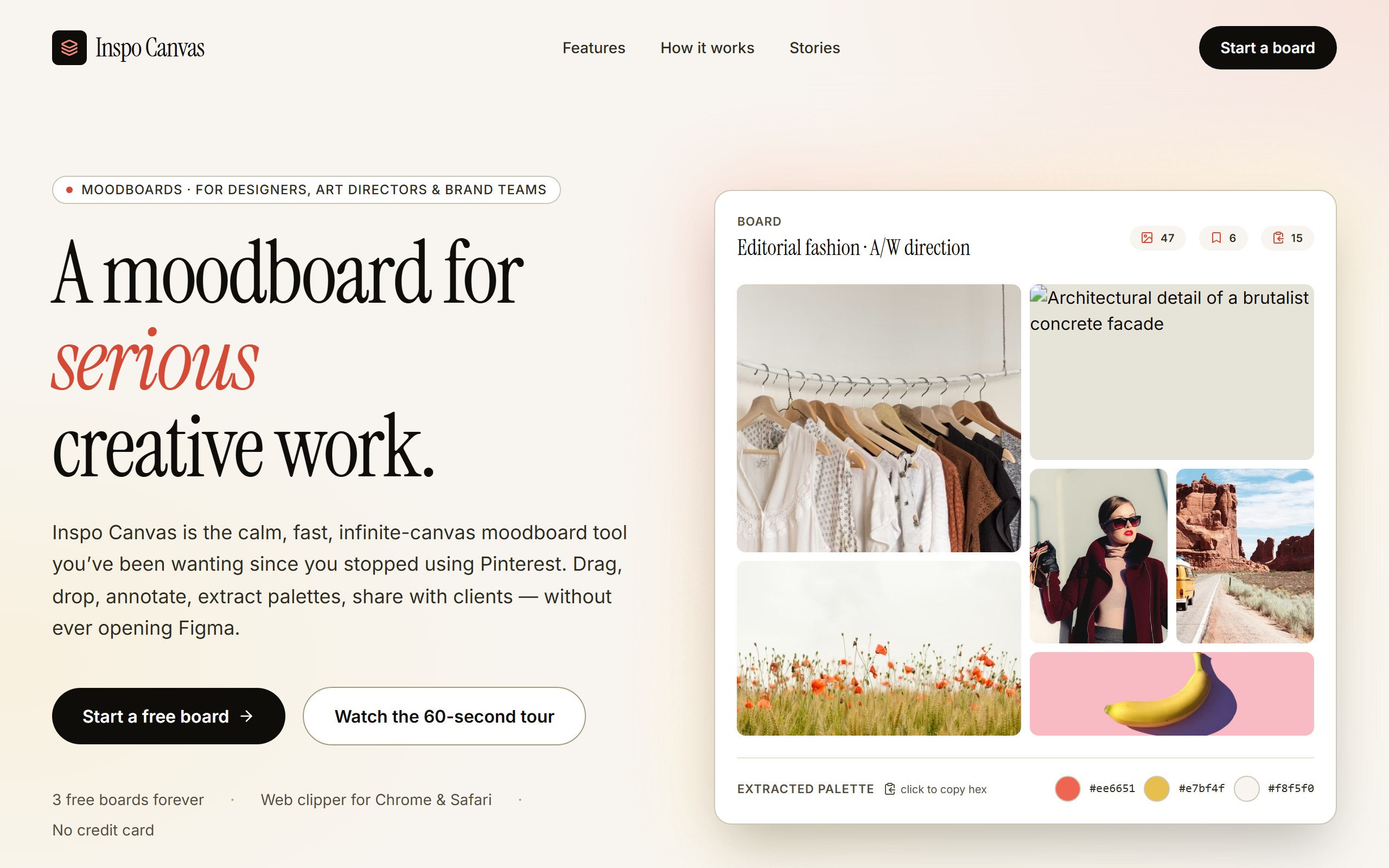
Looseleaf Moodboard opens as a complete creative moodboard workspace with reference cards, palettes, notes, visual direction, and grouped creative decisions already in place.
The example is organized to organize a creative concept so stakeholders can understand the direction quickly, so first changes can improve the real user journey instead of rebuilding from nothing.
Use DriftLess to change board categories, palette choices, project notes, visual cards, and studio voice while preserving the polished starting point and live preview behavior.
Looseleaf Moodboard is a curated DriftLess example for a creative moodboard workspace. Editorial moodboard landing for designers and art directors. Hero collage with 6 mock board images + extracted color palette, coral accent, serif display.
When you click Use template, DriftLess creates a new project from this example and opens the unchanged preview first. Your next request can change board categories, palette choices, project notes, visual cards, and studio voice without starting over.
Starting idea
Generated from the Looseleaf Moodboard template. This is an editorial-style marketing site for a moodboard/canvas tool aimed at designers, art directors, and brand teams. Use the existing structure as the base and apply the user's customizations in place.
Retheme the cards around client identity, colors, typography notes, and image direction.
Convert the board into spaces, materials, furniture, lighting, and mood references.
Organize social, photo, copy, and art-direction references for a launch campaign.
Start from Looseleaf Moodboard and inspect the unchanged live preview.
Review the main creative moodboard workspace sections: reference cards, palettes, notes, visual direction, and grouped creative decisions.
Ask DriftLess for a focused first change around board categories, palette choices, project notes, visual cards, and studio voice.
Use the suggested first-change chips when you want a fast starting point.
Run a final polish pass for mobile spacing, visible hierarchy, and the primary conversion or workflow action.
Use template creates a new project from this example.
The preview opens first, so you can inspect the starting point before spending credits on changes.
Tell DriftLess what to change in plain English: products, colors, sections, wording, pages, or workflow.
Progress, preview updates, files, and recovery actions stay visible while the draft improves.
Suggested first changes
"Your moodboards" home with 6 boards / 31 items total
Boards rendered with cover image, item count, last-updated badge
Brew & Craft Identity board seeded as the showcase example