
Complete invoice operations dashboard
BillForge opens as a complete invoice operations dashboard with invoice statuses, client billing details, totals, reminders, and document actions already in place.
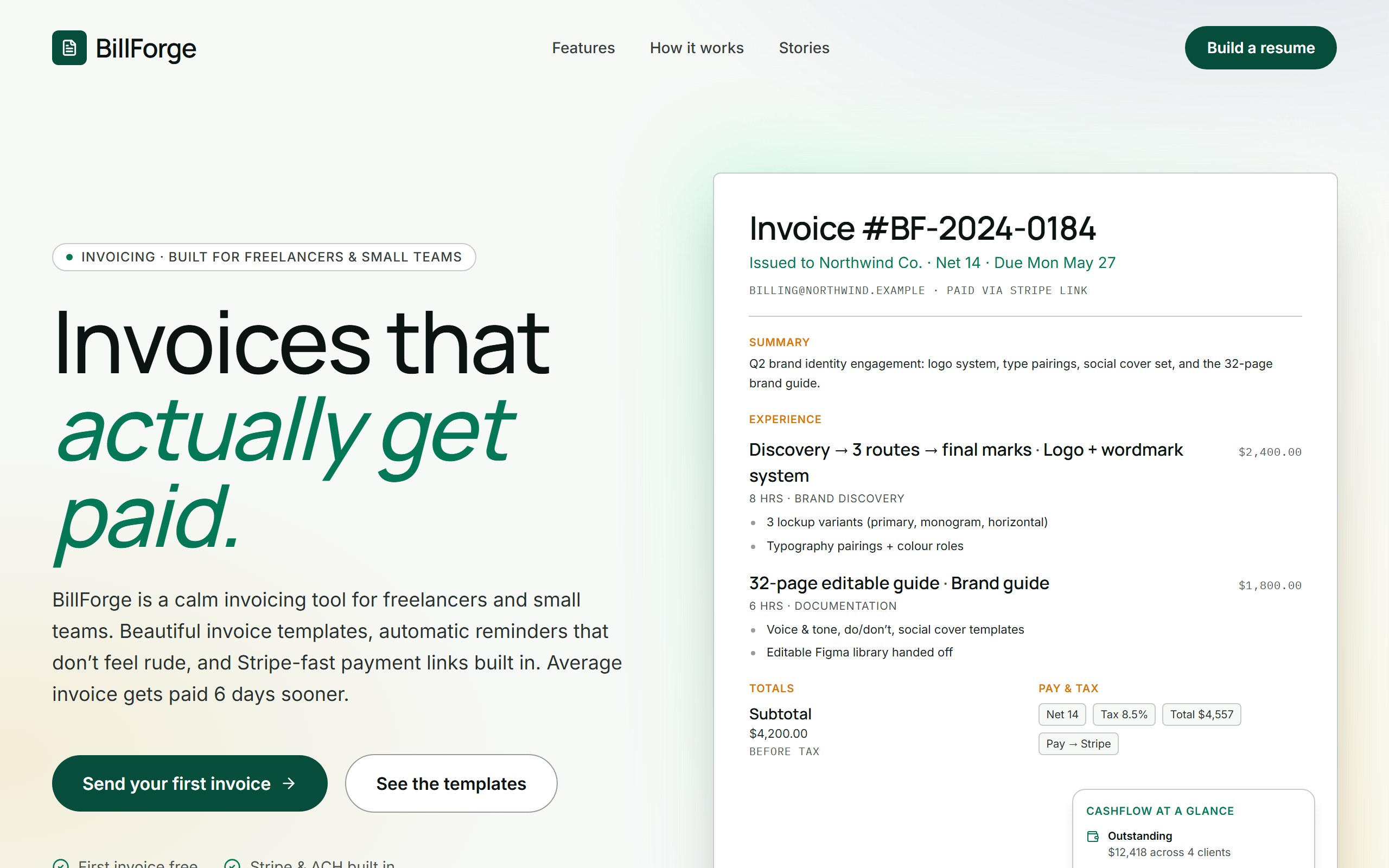
BillForge opens as a complete invoice operations dashboard with invoice statuses, client billing details, totals, reminders, and document actions already in place.
The example is organized to make outstanding billing work visible and ready for follow-up, so first changes can improve the real user journey instead of rebuilding from nothing.
Use DriftLess to change billing workflow, client fields, payment status, reminders, and approval actions while preserving the polished starting point and live preview behavior.
BillForge is a curated DriftLess example for a invoice operations dashboard. Invoicing-app landing. Paper + emerald palette, Manrope display, hero with a mock typeset invoice + cashflow-at-a-glance side panel.
When you click Use template, DriftLess creates a new project from this example and opens the unchanged preview first. Your next request can change billing workflow, client fields, payment status, reminders, and approval actions without starting over.
Starting idea
Invoicing landing — paper white + emerald + gold, mock invoice in the hero with a floating cashflow panel. Out of scope: real Stripe integration, real ledger.
Retheme clients, projects, invoice statuses, and payment reminders for solo operators.
Add aging buckets, risk labels, owner notes, and next-step actions for finance teams.
Adapt invoice views into estimates, approvals, and conversion to final invoices.
Start from BillForge and inspect the unchanged live preview.
Review the main invoice operations dashboard sections: invoice statuses, client billing details, totals, reminders, and document actions.
Ask DriftLess for a focused first change around billing workflow, client fields, payment status, reminders, and approval actions.
Use the suggested first-change chips when you want a fast starting point.
Run a final polish pass for mobile spacing, visible hierarchy, and the primary conversion or workflow action.
Use template creates a new project from this example.
The preview opens first, so you can inspect the starting point before spending credits on changes.
Tell DriftLess what to change in plain English: products, colors, sections, wording, pages, or workflow.
Progress, preview updates, files, and recovery actions stay visible while the draft improves.
Suggested first changes
Brain planned architecture
Writer generated invoicing app
Reviewer drove quality review