
Complete inventory control dashboard
StockPilot opens as a complete inventory control dashboard with stock levels, reorder signals, warehouse context, categories, and operational next actions already in place.
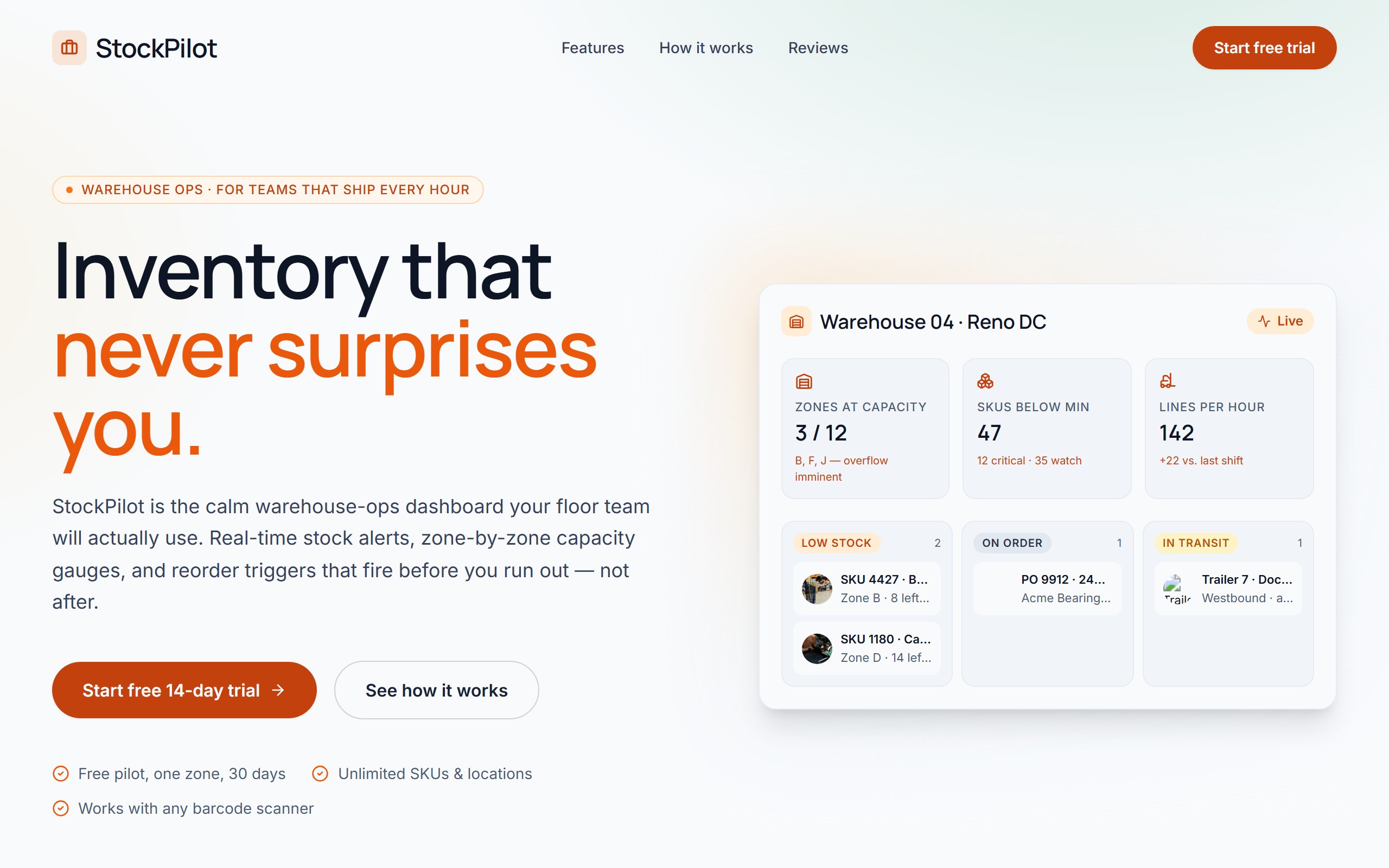
StockPilot opens as a complete inventory control dashboard with stock levels, reorder signals, warehouse context, categories, and operational next actions already in place.
The example is organized to make shortages, counts, and restocking decisions obvious for operations teams, so first changes can improve the real user journey instead of rebuilding from nothing.
Use DriftLess to change inventory domain, item categories, reorder rules, location filters, and procurement actions while preserving the polished starting point and live preview behavior.
StockPilot is a curated DriftLess example for a inventory control dashboard. Warehouse-ops landing for inventory teams. Slate + warning-orange palette, Manrope display, hero with mock zone dashboard (capacity gauges + stock alerts).
When you click Use template, DriftLess creates a new project from this example and opens the unchanged preview first. Your next request can change inventory domain, item categories, reorder rules, location filters, and procurement actions without starting over.
Starting idea
Warehouse-ops landing — slate + warning orange + Manrope. Hero with mock zone dashboard: capacity metrics (zones at capacity / SKUs below min / lines per hour) plus 3-column stock pipeline (low stock / on order / in transit). Out of scope: real WMS integration, real barcode hardware, real PO automation. Mock illustrative only.
Retheme categories, alerts, and counts for stores, warehouses, or ecommerce products.
Change item groups and reorder rules for kitchen inventory and vendor restocking.
Adapt status language for borrowed gear, availability, maintenance, and returns.
Start from StockPilot and inspect the unchanged live preview.
Review the main inventory control dashboard sections: stock levels, reorder signals, warehouse context, categories, and operational next actions.
Ask DriftLess for a focused first change around inventory domain, item categories, reorder rules, location filters, and procurement actions.
Use the suggested first-change chips when you want a fast starting point.
Run a final polish pass for mobile spacing, visible hierarchy, and the primary conversion or workflow action.
Use template creates a new project from this example.
The preview opens first, so you can inspect the starting point before spending credits on changes.
Tell DriftLess what to change in plain English: products, colors, sections, wording, pages, or workflow.
Progress, preview updates, files, and recovery actions stay visible while the draft improves.
Suggested first changes
Brain planned architecture
Writer generated inventory system
Reviewer drove quality review